

Title
Create new category
Edit page index title
Edit category
Edit link
Create Usage Alerts
You can set usage alerts to notify you and other members of your organization when your usage exceeds a set threshold before the end of your usage cycle.
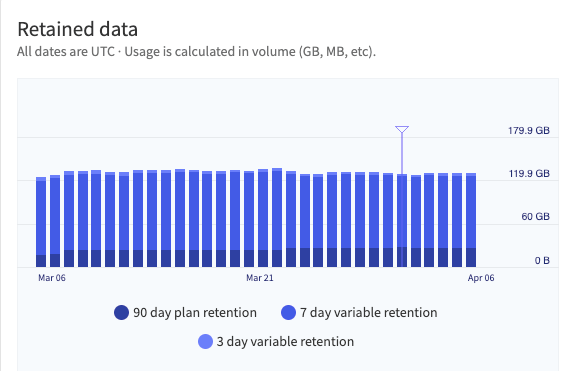
If you have a Professional or Enterprise account, the usage cycle is the same as your billing cycle. For Enterprise accounts, you can check when your usage cycle ends and begins in the Enterprise Dashboard. Each chart includes a marker that indicates the end and beginning of the cycle, as shown in this example.

Create a Usage Alert
In the Mezmo Web App, navigate to Usage > Dashboard.
Scroll to the Usage Alert section.
Set the Usage Limit. When your usage reaches this volume of data, in GB, it will trigger an alert.
Select the recipients to receive the alert. The list of available recipients is based on the members of your organization.