

- When you create the Board, Screen, or View and give it a name and category.
- By going to the Categories screen and adding a new Category.
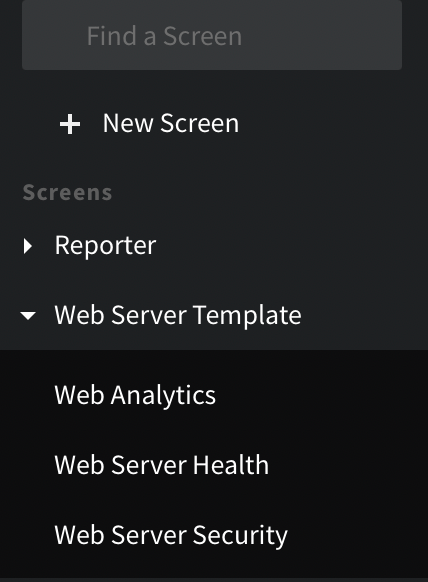
The Category is Web Server Template and it contains Web Analytics, Web Server Health, and Web Server Security.
Manage Categories
- Manage all of your categories under Settings > Categories.
- New categories will be empty. Drag Views, Boards, or Screens to Categories to organize information.
Permissions
The Categories permission has three cumulative levels (Manage includes Write; Write includes Read).- Read: view the Categories page and browse categories and their contents; no changes possible.
- Write: everything Read allows, plus create a category, rename a category, and add or remove Views, Boards, and Screens to and from a category.
- Manage: everything Write allows, plus delete a category.
Feature Notes
- A View, Board, or Screen can be part of more than one Category.
- Deleting a Category, does not delete the View, Board, or Screen.