

Description
With the Parse processor you can take incoming data of a known format and convert it into a parsed set of values prior to subsequent processing.Use
The primary use case is for parsing logs sent to the HTTP endpoint. The labeled sources in the user interface are already parsed automatically. You can create multiple parsing operations that will be performed in sequential order. This enables a stream of multiple logs to be separated without needing to build complex logic. If the first operation successfully parses all the incoming data, the Processor will exit to the next Pipeline component.Configuration
There are two options for configuring the Parse processor.Parser Options
AI Pattern Matching
The Parse Processor includes an AI feature that can generate a regular expression to use in parsing based on a sample of log data.- Use the PIpeline Tap feature to collect a few sample logs that you want to parse in the pipeline, then paste the sample into the Sample log lines window.
- Click Find Patterns, and the AI assistant will generate the regex for that data sample.
- When you click Select Patterns, the regular expressions will be copied to the Expression field of the Parse processor. You can test and tweak these expressions in the Parse processor as necessary.
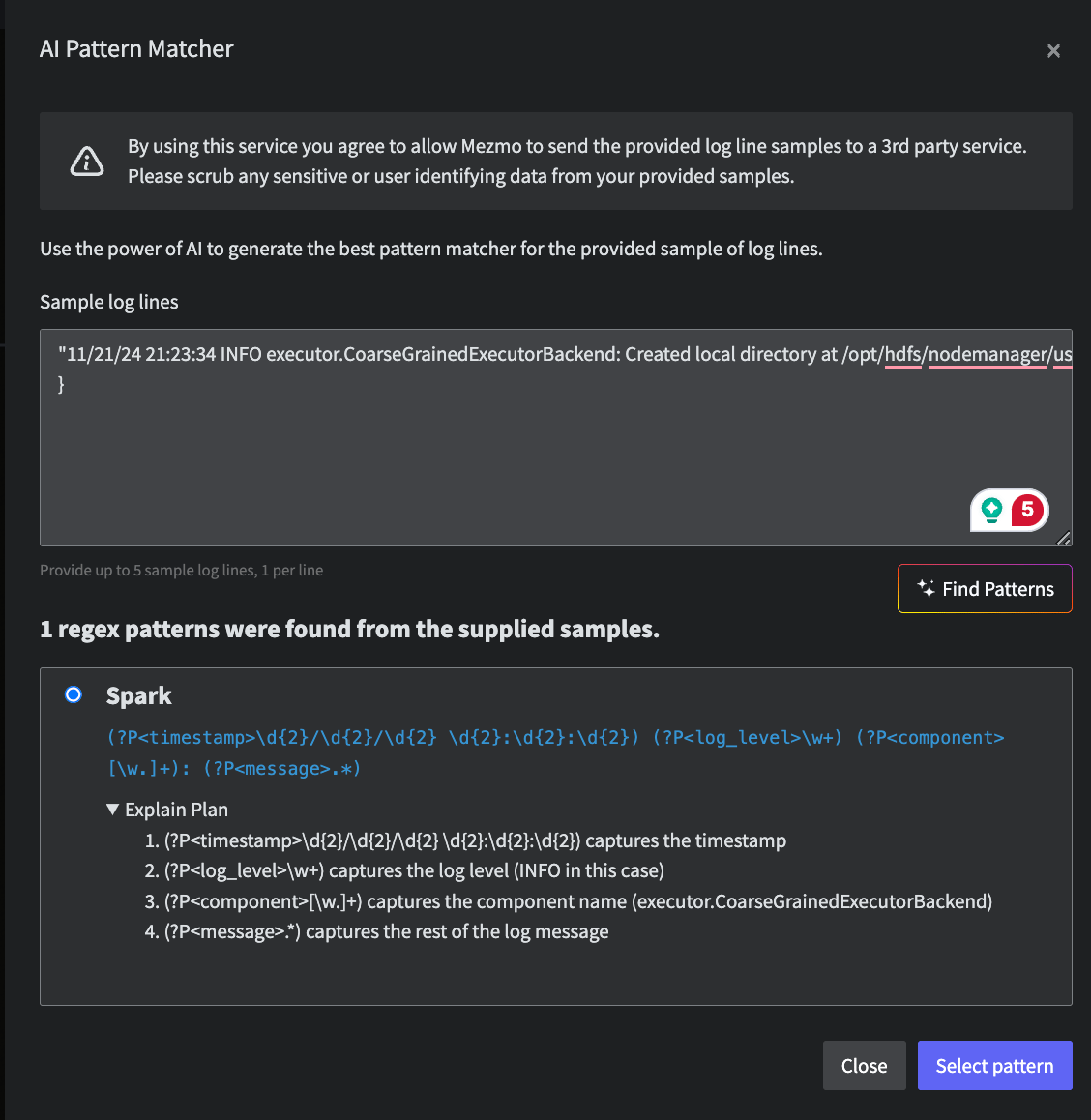
The AI pattern recognition interface for the Parse Process
Examples
Common Log
Input
Output
Grok Pattern Example 1
Input
Key items to note is that Mezmo does not support literals or regex values between grok patterns. This means that you will need to use the
%{DATA} and %{GREEDYDATA} in replacing the literal characters.You may still use a literal space %{SPACE} in between patterns and %{NOTSPACE} expressions in cases where the %{DATA} or %{GREEDYDATA} go to far.Output
Timestamp
Input
Sat Jul 23 02:16:57 2005
Output
2005-07-23T02:16:57Z
User Agent
Input
Mozilla/5.0 (Macintosh; Intel Mac OS X 10.15; rv:109.0) Gecko/20100101 Firefox/109.0