
Mezmo Log Management Overview
Manage Logs and Log Lines
Ingest Logs
View and Analyze Log Data
Manage Organizations and Members
Security and Compliance
Other Mezmo Resources
Title
Message
Create new category
What is the title of your new category?
Edit page index title
What is the title of the page index?
Edit category
What is the new title of your category?
Edit link
What is the new title and URL of your link?
Create Usage Alerts
Copy Markdown
Open in ChatGPT
Open in Claude
Connect to Cursor
Connect to VS Code
You can set usage alerts to notify you and other members of your organization when your usage exceeds a set threshold before the end of your usage cycle.
If you have a Professional or Enterprise account, the usage cycle is the same as your billing cycle. For Enterprise accounts, you can check when your usage cycle ends and begins in the Enterprise Dashboard. Each chart includes a marker that indicates the end and beginning of the cycle, as shown in this example.
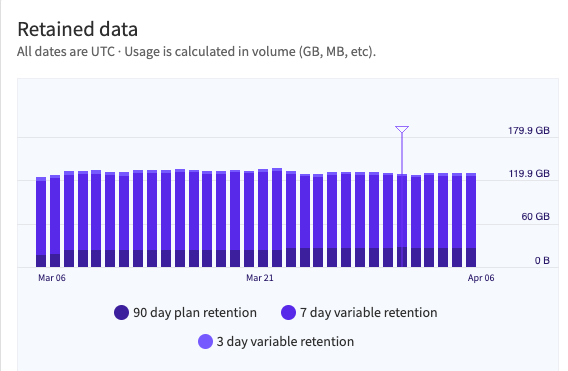
The Retained Data usage graph with a marker indicating the end and beginning of the usage cycle.
Create a Usage Alert
- In the Mezmo Web App, navigate to Usage > Dashboard.
- Scroll to the Usage Alert section.
- Set the Usage Limit. When your usage reaches this volume of data, in GB, it will trigger an alert.
- Select the recipients to receive the alert. The list of available recipients is based on the members of your organization.
Type to search, ESC to discard
Last updated on
Was this page helpful?
Next to read:
Set Exclusion RulesDiscard Changes
Do you want to discard your current changes and overwrite with the template?
Archive Synced Block
Message
Create new Template
What is this template's title?
Delete Template
Message