> ## Documentation Index
> Fetch the complete documentation index at: https://docs.mezmo.com/llms.txt
> Use this file to discover all available pages before exploring further.
# Shared Sources
> Configure a source once at the global level and reuse it across multiple pipelines, transmitting the same data only once to reduce volume and management.
This Pipeline component is in Beta development, and should be used in Production environments with caution. Contact your Mezmo Account Manger to have this feature enabled. If you encounter any issues, please notify [Mezmo Support](mailto:support@mezmo.com).
## What are Shared Sources?
When you create a Pipeline and add a Source to it, that Source is exclusive to that Pipeline, and the Pipeline itself is self-contained. There are many situations in which you may want to use that same Source for multiple Pipelines, but you need to define and configure it within each Pipeline independently. This complicates the management of that same Source for multiple Pipelines, and also contributes to increased expense for ingress and egress data volume.
Shared Sources offers a solution to these issues. Shared Sources are configured at the global level, and can be shared across multiple Pipelines. With a Shared Source, the same data is transmitted once across all Pipelines, rather than being transmitted separately for each Pipeline.
At this time only push sources are supported in Shared Sources.
## Configuration
1. In the Mezmo Web App, go to **Pipelines > Shared Sources**.
2. Click **New Shared Source**.
3. Select the type of Source to use as a Shared Source, for example HTTP.
4. Configure the Source as you normally would, then **Save** it.
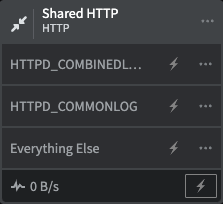 You can convert an already configured Source to a Shared Source. Click **Edit config** for the Source you want to convert, then click Convert to Shared Source. Be sure to Deploy the Pipeline to see this update.
You can only convert a **push** source to shared source.
You can convert an already configured Source to a Shared Source. Click **Edit config** for the Source you want to convert, then click Convert to Shared Source. Be sure to Deploy the Pipeline to see this update.
You can only convert a **push** source to shared source.