> ## Documentation Index
> Fetch the complete documentation index at: https://docs.mezmo.com/llms.txt
> Use this file to discover all available pages before exploring further.
# Pipeline Event Data Model
> How events move through a Pipeline via the event envelope, including the message, metadata, and timestamp fields and how to reference them.
## Event Envelope
When data is moving from Sources through Processors to Destinations in a Pipeline, the key details of these events come through the `message` object.
While this may be all you need in your Pipeline, there is other data that may be available to you in what we refer to as the **event envelope**.
### Envelope Fields
| Field | Purpose |
| ----------- | --------------------------------------------------------------------------------------------------------------------------------------------------------------------------------------------------------------------------------------------------------------------------------------------------------------------------------------------------------------------------------------------------------------------------------------------------------------------------------------------------------------------------------- |
| `message` | The main field that carries the important data elements of an event. This field will always be present.
Depending on the source, this field could be a string or an object.
**Metrics:** while there is no prescribed schema for log events, metrics have a [prescribed data model](/telemetry-pipelines/metric-data-within-the-pipeline) you must follow. |
| `metadata` | This field contains properties that describe the message. In most cases this data is only accessible in a Pipeline, and is not passed to the Destination.
You can move Items in this field into `message` with the [Map Fields Processor](/telemetry-pipelines/map-fields-processor). |
| `timestamp` | This field is a ISO8601/RFC3339 formatted timestamp. For most Sources, this will be the date and time the event was received into the Pipeline.
When there is a standard data format (OTLP, Auto-parsed logs in known formats, etc), Mezmo will set this field to the timestamp it finds in the standard field.
You can override this value with the [Set Timestamp Processor](/telemetry-pipelines/set-timestamp-processor) or the [Script Execution Processor](/telemetry-pipelines/js-script-processor). |
```json theme={null}
{
"message":{
"bytes": 22322,
"datetime": "24/Jan/2023:18:54:09",
"host": "127.219.215.140",
"method": "DELETE",
"protocol": "HTTP/1.1",
"referer": "https://names.de/apps/deploy",
"request": "/secret-info/open-sesame",
"status": "300",
"user-identifier": "meln1ks",
"data": {
"extra-data": "mydata"
}
}
"metadata":{
"headers":{}
"query":{}
}
"timestamp":"2024-06-28T19:41:00.995+00:00"
}
```
```json theme={null}
{
"bytes": 22322,
"datetime": "24/Jan/2023:18:54:09",
"host": "127.219.215.140",
"method": "DELETE",
"protocol": "HTTP/1.1",
"referer": "https://names.de/apps/deploy",
"request": "/secret-info/open-sesame",
"status": "300",
"user-identifier": "meln1ks",
"data": {
"extra-data": "mydata"
}
}
```
### View Envelope Fields
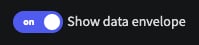
You can view the contents of the envelope with the [Pipeline Tap and Simulation features. ](/telemetry-pipelines/view-pipeline-data)If it isn't displayed, make sure **Show data envelope** is set to **ON**.
 Fields in `message`, `metadata` and `timestamp` can be referenced in most processors and destinations. The message field also has a shortcut syntax of `.`
For example, to access `host` from the example above, you could reference it as `message.host` or `.host`
Fields in `message`, `metadata` and `timestamp` can be referenced in most processors and destinations. The message field also has a shortcut syntax of `.`
For example, to access `host` from the example above, you could reference it as `message.host` or `.host`