> ## Documentation Index
> Fetch the complete documentation index at: https://docs.mezmo.com/llms.txt
> Use this file to discover all available pages before exploring further.
# Edit Parsing Operations with the Mini-Map
> Use the mini map's rule paths and nodes to navigate, inspect, and jump between operations in a Custom Parsing Template or Extract Fields.
When using the Custom Parsing Template or Extract Fields, it includes a mini map. The mini map shows what operators have been used and how they relate to each other.
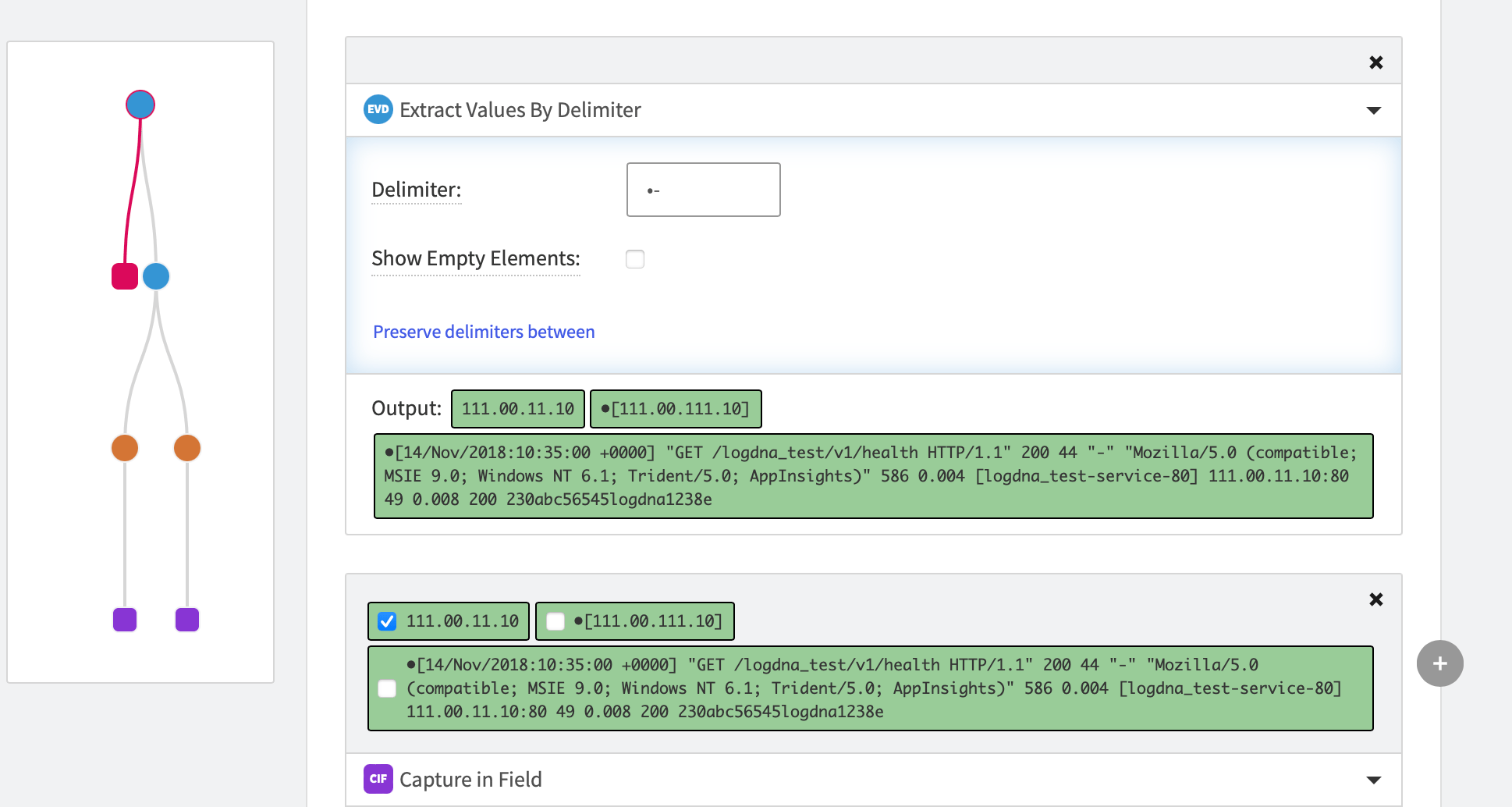 The mini map is made of **Rule Paths** that show the chain of operations used to parse the data. The Rule Paths are end in **Nodes** that indicate the operation performed.
The mini map can help you navigate complicated parsing structures. Hover over each node to see the operation. To jump to the operation, click each node.
Nodes that are side by side are considered siblings and inherit from the parent node.
The mini map is made of **Rule Paths** that show the chain of operations used to parse the data. The Rule Paths are end in **Nodes** that indicate the operation performed.
The mini map can help you navigate complicated parsing structures. Hover over each node to see the operation. To jump to the operation, click each node.
Nodes that are side by side are considered siblings and inherit from the parent node.