> ## Documentation Index
> Fetch the complete documentation index at: https://docs.mezmo.com/llms.txt
> Use this file to discover all available pages before exploring further.
# Introduction
> Workshop overview for using the OpenTelemetry Demo and Mezmo to understand and optimize telemetry data for both MTTR and cost.
***
## Getting Started
Outside our [Telemetry Pipeline docs](/telemetry-pipelines), if you run into any issues or have feedback on either the workshop or Pipeline, please reach out to us at [support@mezmo.com](mailto:support@mezmo.com).
Before beginning, you will need the following
* A Mezmo account, [sign up for a trial here](https://www.mezmo.com/sign-up-mezmo-platform).
* [Docker](https://www.docker.com/get-started/)
## Overview
In this workshop, we will use the [OpenTelemetry Demo](https://github.com/open-telemetry/opentelemetry-demo) to explore how to understand and optimize telemetry data to both improve its value in identifying and resolving application issues and reduce the cost associated with maintaining that data.
To accomplish this we will:
* Create a OpenTelemetry Log, Metric and Trace [Shared Sources](/telemetry-pipelines/shared-sources) in Mezmo
* [Configure OpenTelemetry collector](https://github.com/braxtonj/opentelemetry-demo/mezmo-otel-config-extras.yml) with Mezmo Shared Source credentials
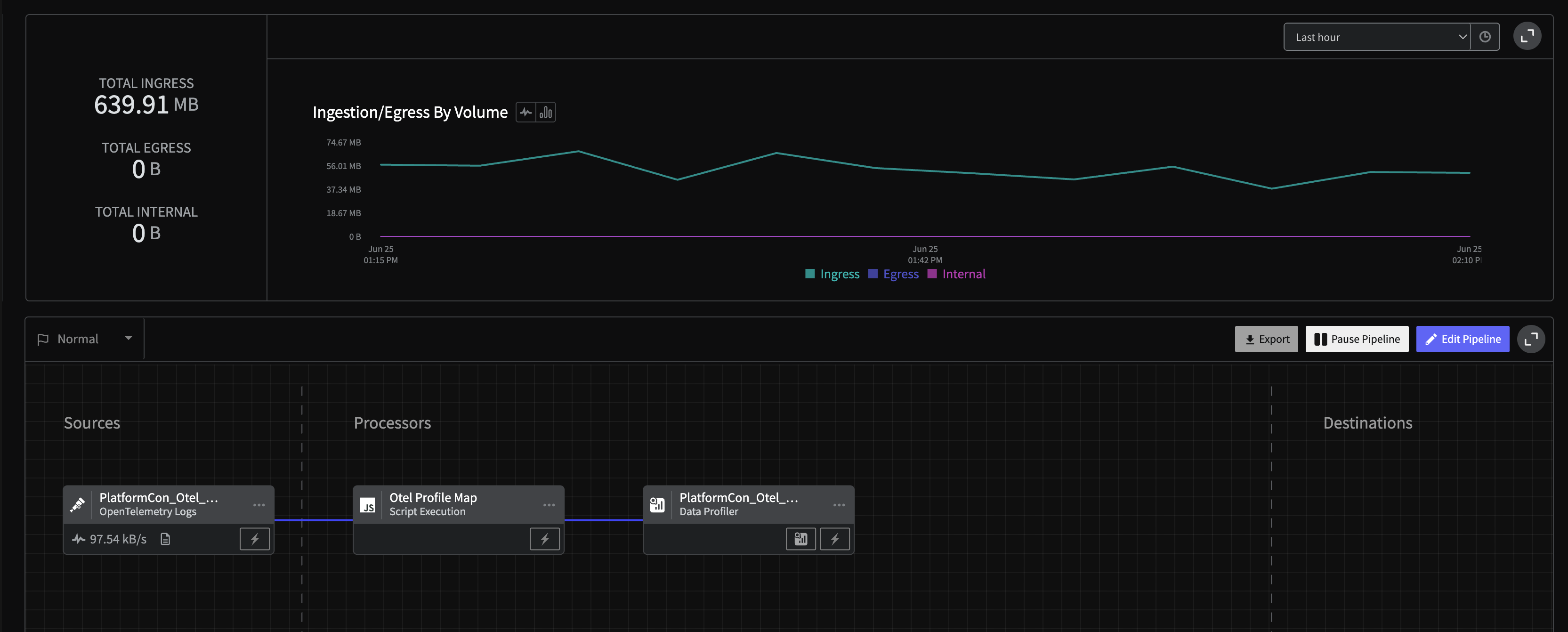
* Explore the OpenTelemetry Logs via [Data Profiling](/telemetry-pipelines/data-profiling)
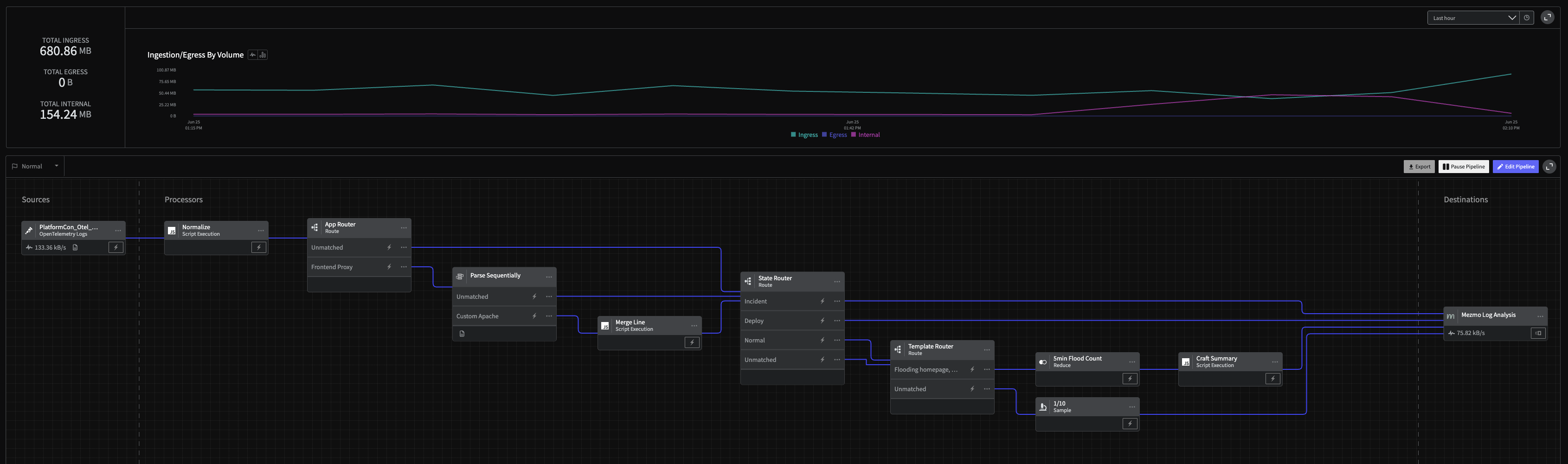
* Send log data to [Mezmo Log Analysis](/docs)
* [Aggregate](/telemetry-pipelines/reduce-processor) specific log patterns
* [Parse](/telemetry-pipelines/parse-sequentially-processor) custom Apache data
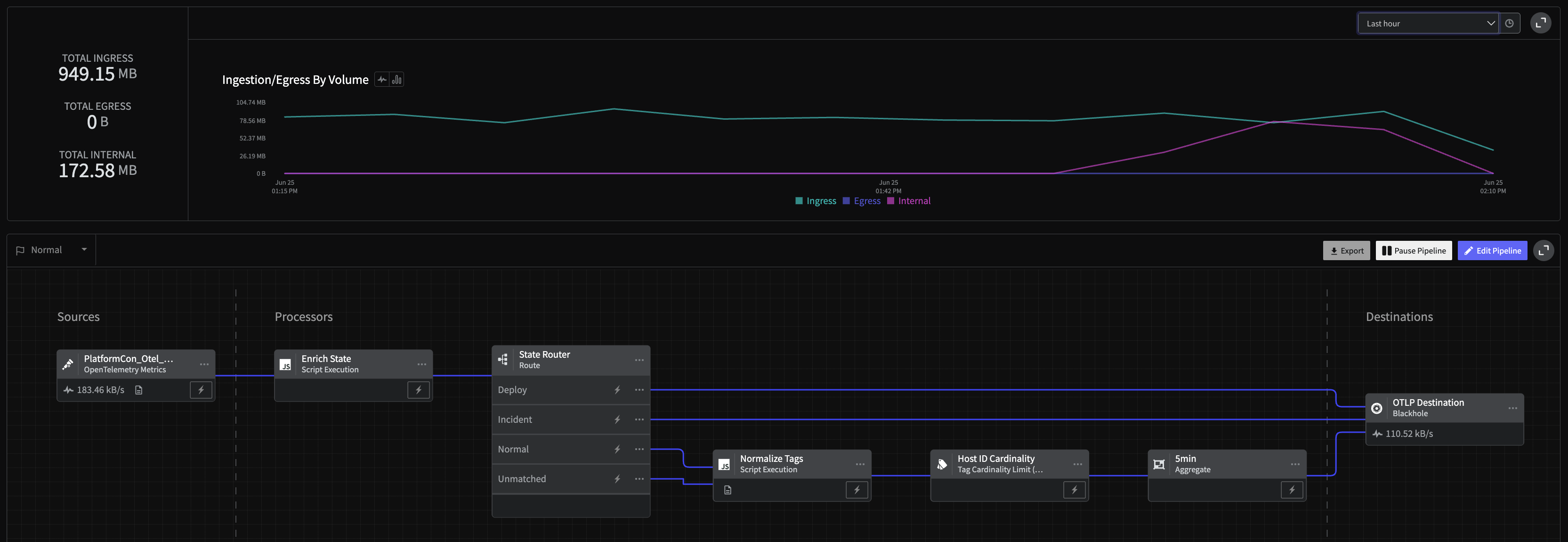
* [Aggregate OpenTelemetry Metrics](/telemetry-pipelines/aggregate-processor) to lower fidelity
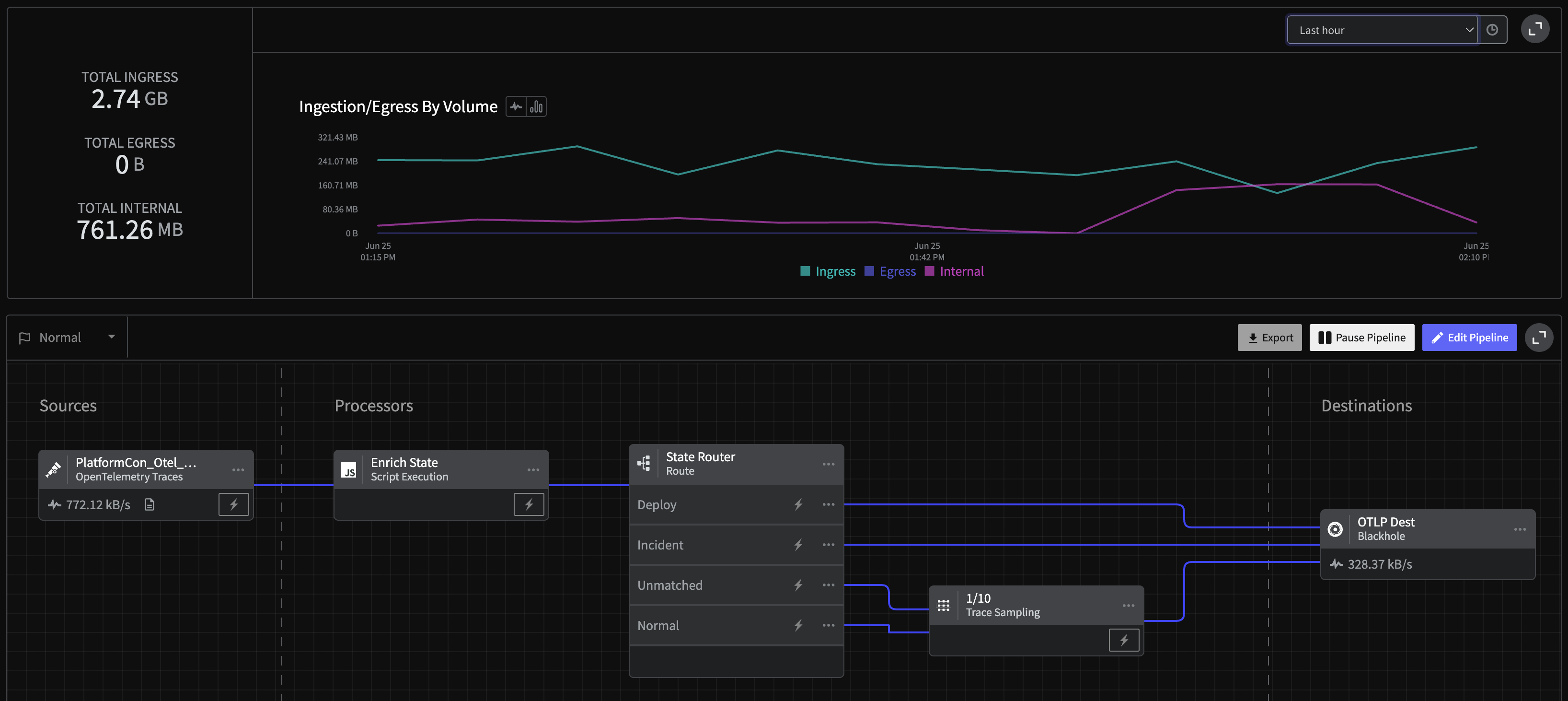
* [Sample OpenTelemetry Traces](/telemetry-pipelines/sample-processor)
* Configure Pipelines to be [Responsive](/telemetry-pipelines/configure-responsive-pipelines) (i.e., capture full fidelity when in an incident or deployment state)
## Final Results
In the end, you are going to build four Pipelines that look like
* Log Profiling Pipeline
 * Log Handler Pipeline
 * Metric Handler Pipeline
 * Trace Handler Pipeline
 These pipelines will optimize your OpenTelemetry data by aggregating, better parsing and configuring data flow responsively. By allowing for easy, granular control you can ensure the right data ends up where it belongs.
The end result is a system that provides the insight needed, at the fidelity when it's needed, leading to an order of magnitude in savings.
These pipelines will optimize your OpenTelemetry data by aggregating, better parsing and configuring data flow responsively. By allowing for easy, granular control you can ensure the right data ends up where it belongs.
The end result is a system that provides the insight needed, at the fidelity when it's needed, leading to an order of magnitude in savings.